Write like a scientist with NeoLeaf,the online collaborative LaTeX editor that charges you absolutely nothing.
Unlimited real-time collaboration, native version control (Git) on GitHub or Codeberg, and compilation on your own machine, with no waiting queues, no artificial timeout limits, and no monthly fees.
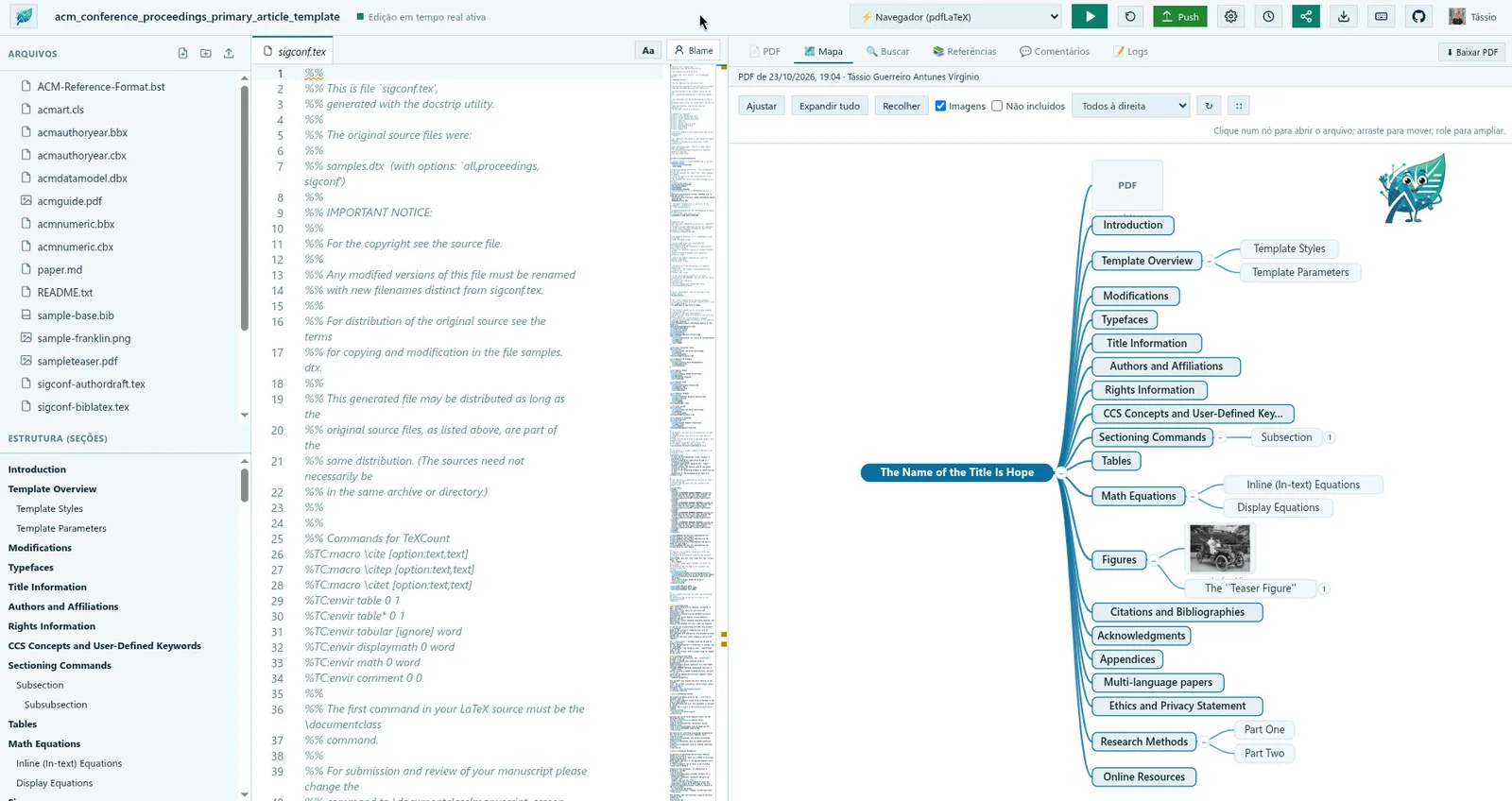
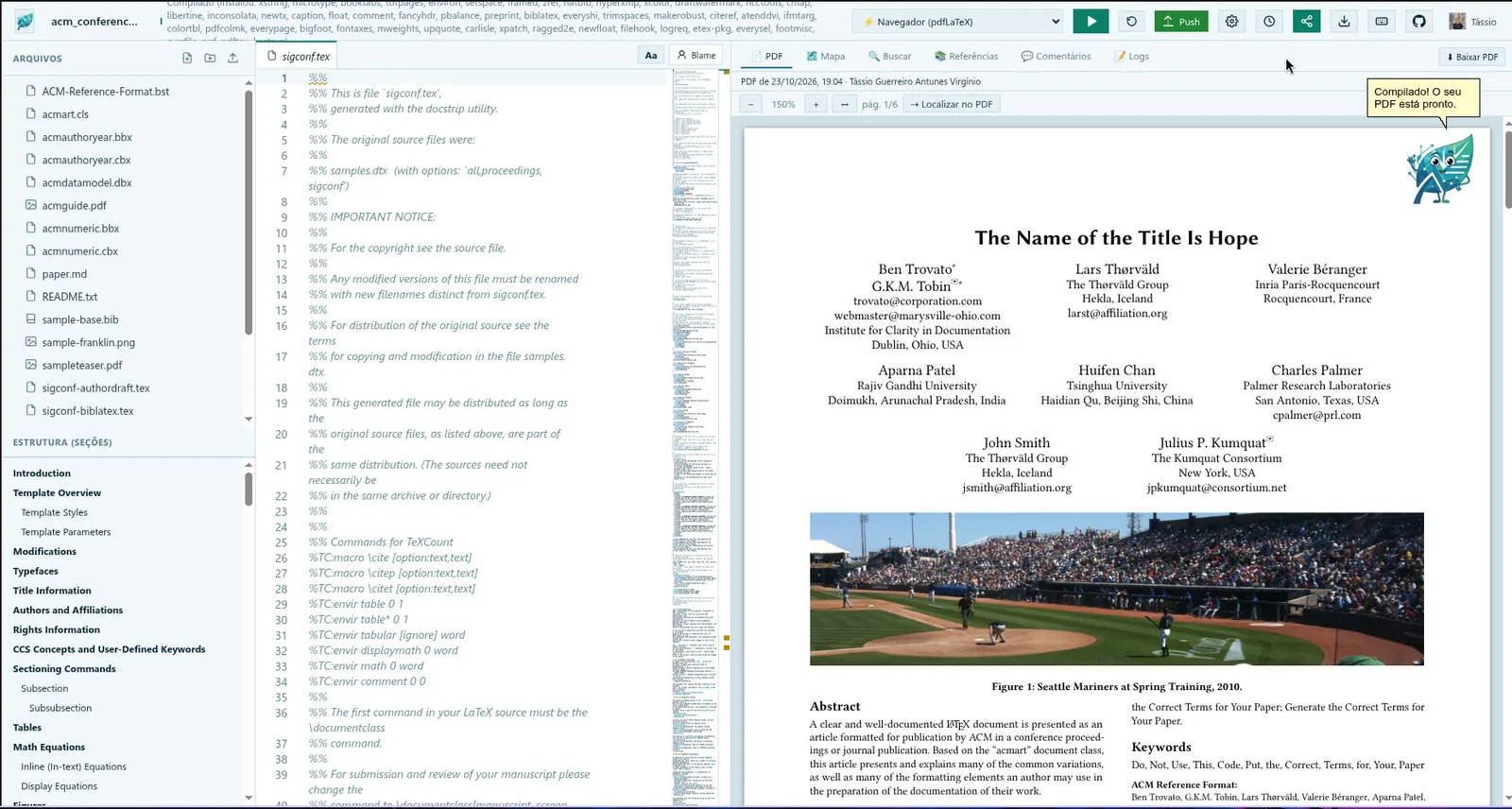
The VS Code editor with your files and the document outline on the left, and the compiled PDF on the right. This conference template compiled in the browser, with the packages it needed installed on demand.
The paper as a mind map
The Map tab draws the document: sections as branches and figures as leaves with a thumbnail. Click a node to jump to the text, while other authors edit the same file with you.
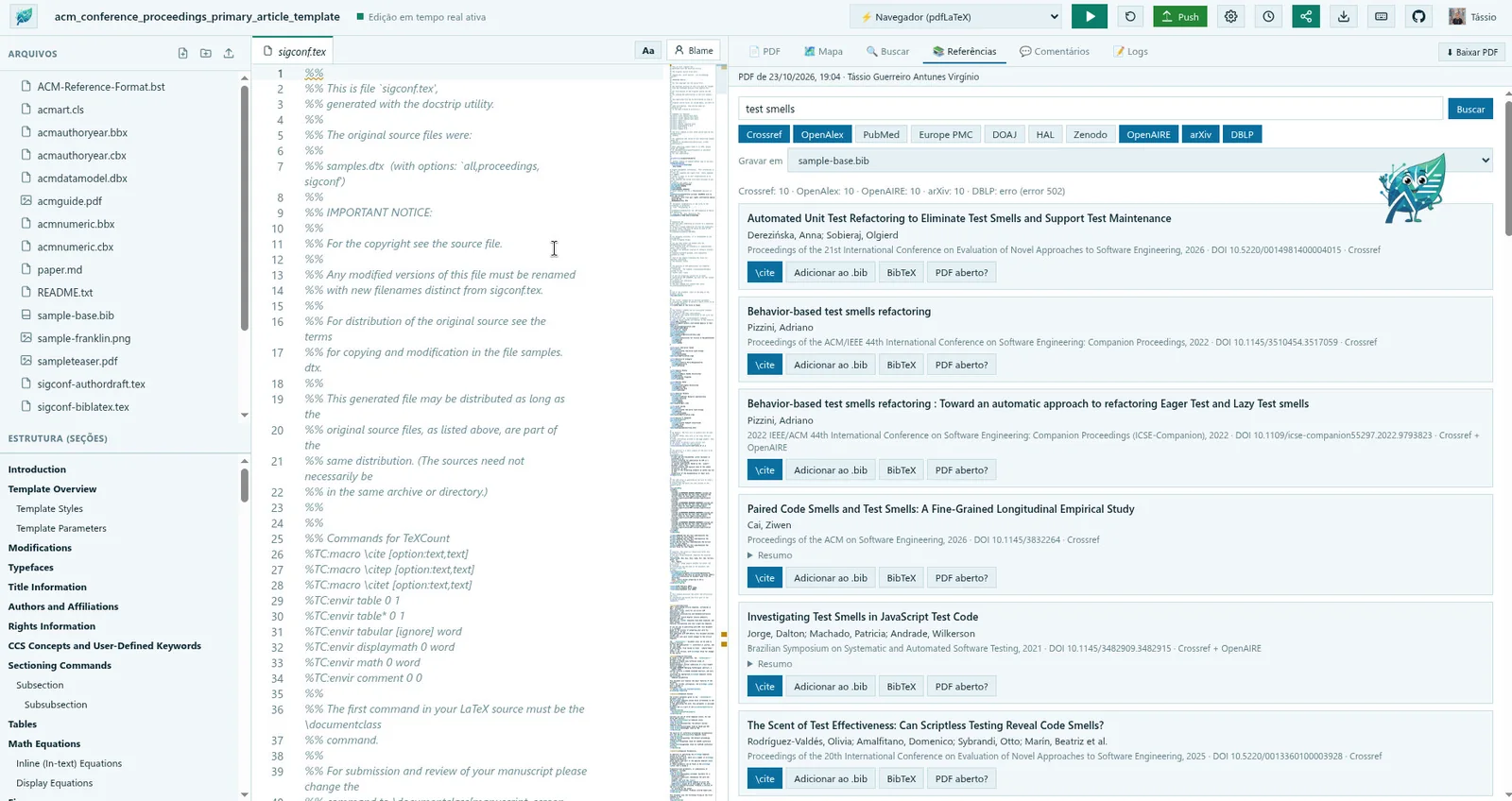
Reference search in ten sources
Search Crossref, OpenAlex, PubMed, Europe PMC and more at once, then insert the \cite, add the entry to your .bib or copy the BibTeX, each in one click.
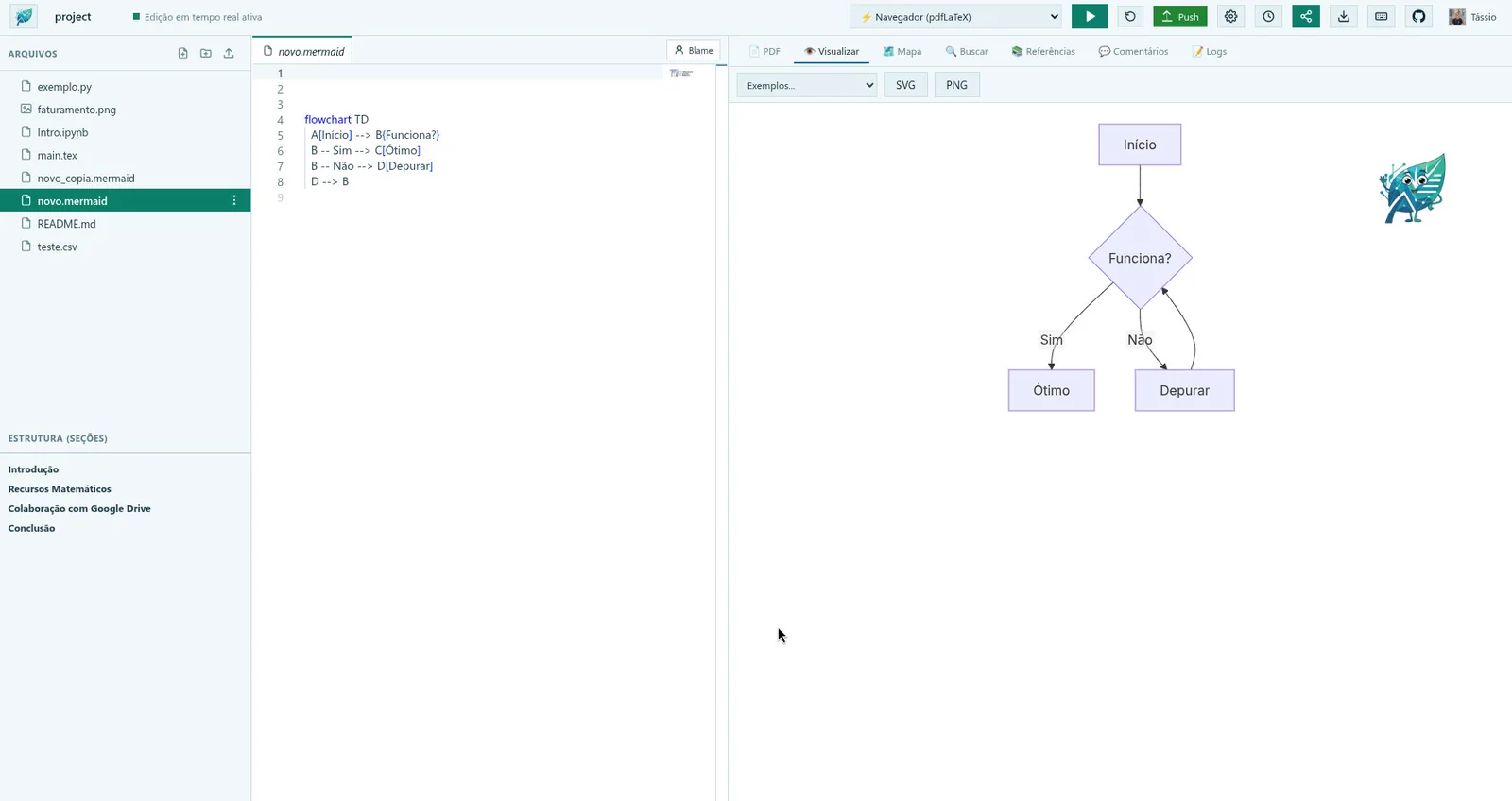
Mermaid diagrams
Write a Mermaid diagram and see it as you type, with ready-made examples and export to SVG or PNG.
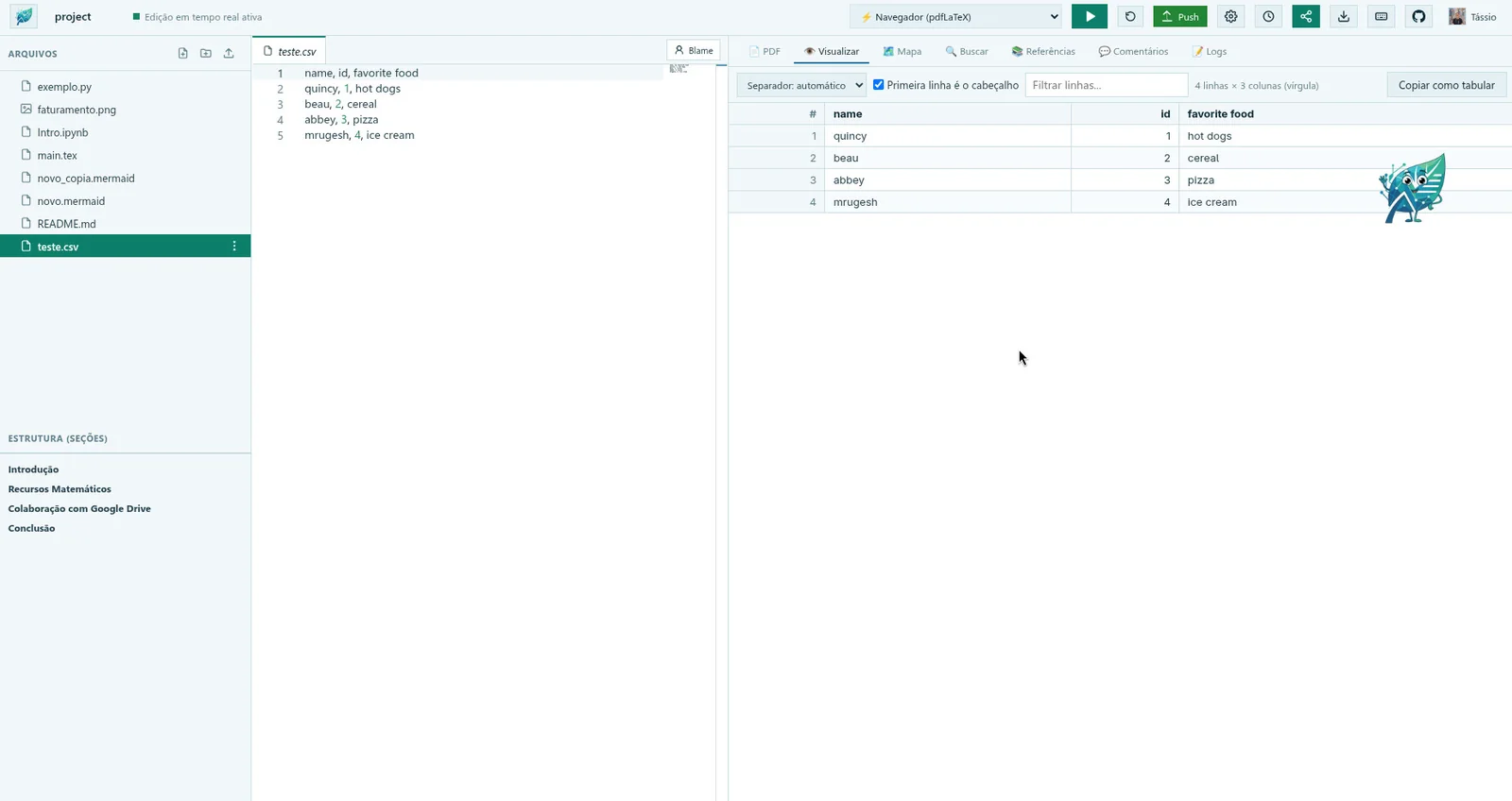
CSV as a table
Open a .csv or .tsv and read it as a table, with a fixed header, a filter, separator detection and a button that copies it as a LaTeX tabular.
Python in your browser
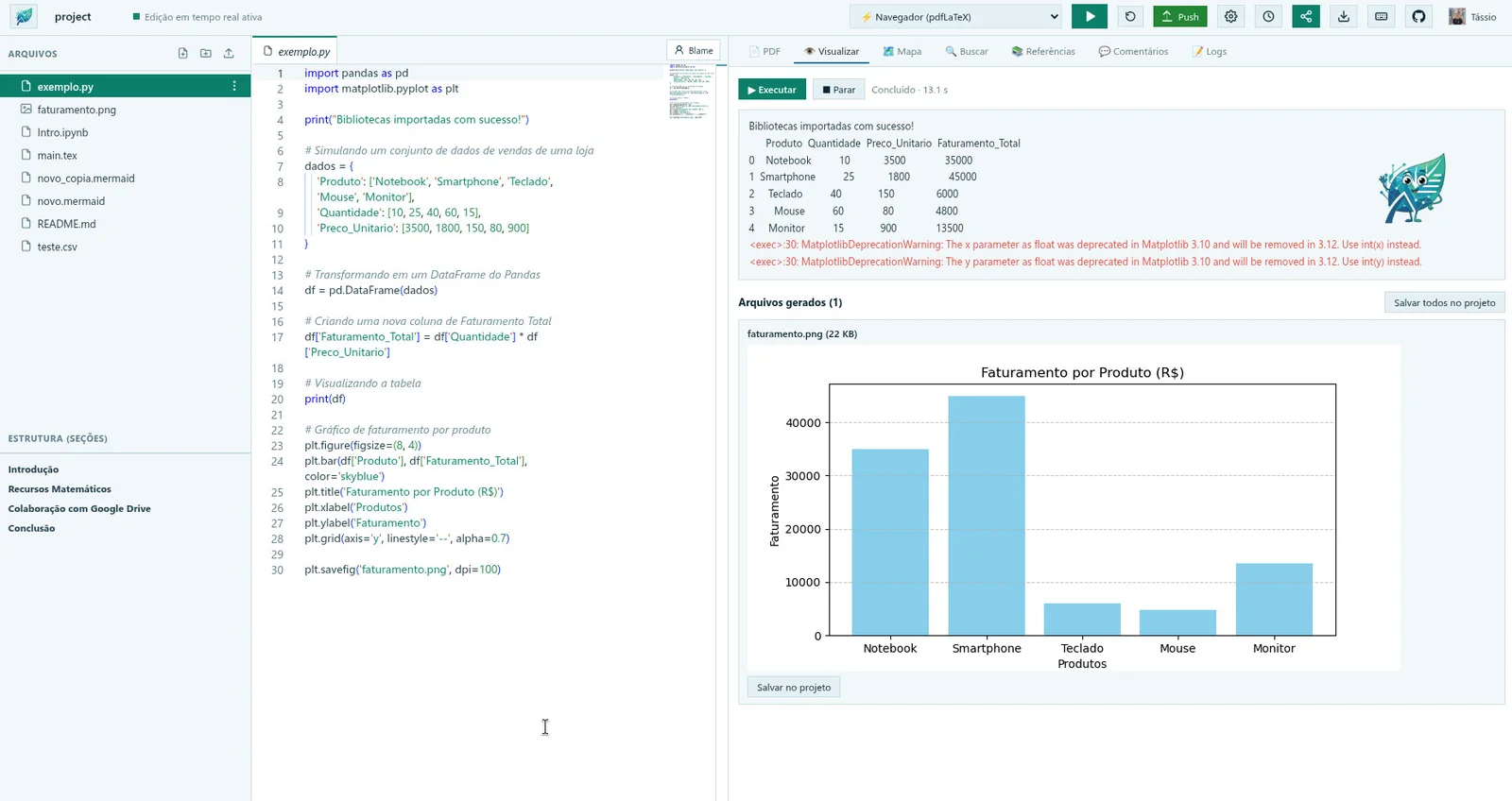
Run a .py file with pandas and matplotlib, with nothing to install. The output and the figures appear beside the code, and one click saves a figure into the project.
Jupyter notebooks
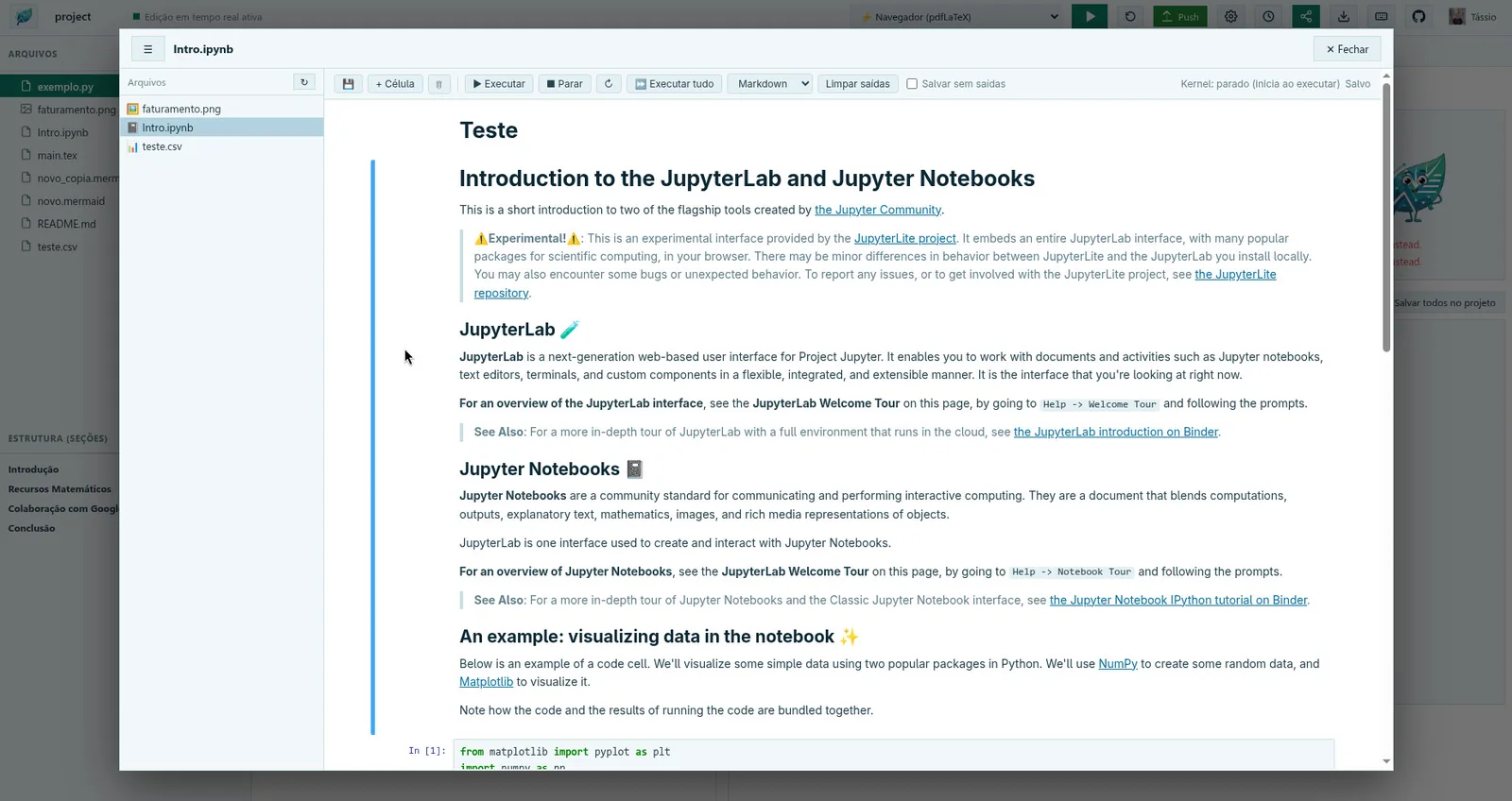
Open .ipynb files and run their cells with Python in the same window, with Markdown, formulas and outputs, saved in the project as ordinary Jupyter files.
Built for scientists, researchers, and universities that demand academic freedom, data sovereignty, and zero recurring costs.
Native GitHub
Native Codeberg
Decentralized Git
WebAssembly (Wasm)
Complete TeX Live
Rust Performance
Linux · macOS · Windows
{features}
The home of unconstrained, free scientific writing
Create complex, impeccably formatted documents with ease. Collaborate with anyone, without paying per collaborator seat.
⚡
Free and unlimited
Compile in the browser or on your own machine, with no subscription and no queue.
👥
Collaborate with no per-collaborator cost
Invite whoever you want: we do not charge per collaborator seat.
🔒
Your data, your repository
The project lives in your browser and your repository. The server neither stores nor logs the content.
What you find inside the editor
Live editing
Several authors in the same file at the same time, with colored cursors and no version conflicts.
GitHub and Codeberg: commit, push, pull, reset, conflicts and Git Blame right in the editor.
Smart editor
The VS Code editor, with autocomplete that understands your project, global search and document structure.
Project map
See the paper as a mind map: sections as branches and figures as leaves, with a click to jump to the text.
Comments and history
Comment threads, named milestones and a revision history with restore, per file.
Reference search
Ten sources (Crossref, OpenAlex, arXiv, DBLP and more) and the \cite with the BibTeX in your .bib in one click.
Jupyter notebooks
Open and run .ipynb in the browser, with Python, pandas, matplotlib and formulas, with nothing to install.
Python, tables and diagrams
Run scripts, see CSV as a table, write in Markdown and draw Mermaid diagrams in the same window.
Clean writing
Format Document, syntax errors and style hints with a quick fix, and a spell check in six languages, all running in your browser.
Ready to submit
Check the project the way a journal or arXiv will meet it, then download a clean ZIP with only the files the paper uses. A GitHub workflow can also build the PDF on every push.
Formulas and references
Rest the mouse on a formula to see it typeset, and complete a .bib entry from its DOI, with every change shown before it is made.
Ten color themes, light and dark mode, and the interface in 15 languages.
🇧🇷🇺🇸🇪🇸🇨🇳🇫🇷🇩🇪🇯🇵
{why free compilation?}
Compilation on your own machine: why pay to wait in queues?
Other editors put you in a queue or kill your compilation after 60 seconds with a timeout error to push expensive subscriptions. On NeoLeaf, the processing power is yours:
⚡WebAssembly (In Your Browser)
100% client-side compilation: runs TeX Live directly inside your browser tab using WebAssembly (texlive-wasm / BusyTeX).
✓
Absolute privacy: your text is never sent to a remote server for compilation.
✓
Zero setup: open NeoLeaf and start compiling right away.
✓
Ideal for conference papers, reports, and Beamer presentations.
✓
Doesn't burn server quotas and doesn't rely on fast internet.
Native Default · Zero Install
💻Native Local Agent (Extreme Speed)
Want instant compilation for large theses? The neoleaf-agent links the web UI directly to compilers installed on your computer (TeX Live, TinyTeX, or Tectonic).
✓
No time limits: compile 400-page documents with zero fear of timeouts.
✓
Leverages all CPU cores and RAM of your own machine.
✓
Native support for XeLaTeX, LuaLaTeX, BibTeX, and custom packages.
✓
Runs in the background with a single install command.
curl -fsSL https://neoleaf.science/install.sh | sh
Linux x86_64, no sudo. The script checks the download's SHA-256. View the script
Create a new project with the structure already in place. Templates added to the catalog show up here and when you create a project.
📄
Scientific Article
Article with title, sections, math and figures, ready to edit and compile.
ArticlepdfLaTeX
📑
Technical Report
Report with chapters and sections, for lab work, projects and longer documents.
ReportChapters
📊
Presentation (Beamer)
Beamer slides: outline, sections and frames ready for your content.
SlidesBeamer
✍️
Typst Article
Article in Typst with title, abstract, sections, math and a bibliography, compiled in your browser.
ArticleTypst
“
After hitting compile timeout limits and being billed in dollars every time we wanted to add another student to the same paper, we switched to NeoLeaf. Compiling directly in the browser with WebAssembly and saving commits straight to Git is true academic freedom.
Prof. MSc. Tássio VirgínioProfessor, Researcher and Advisor
{plans}
Academic freedom shouldn't come with a monthly invoice
Compare NeoLeaf with traditional platforms that lock essential features behind paid subscriptions.
The Open Standard
NeoLeaf
$0 / forever
Everything you and your team need to produce high-impact science without restrictions.
✓Unlimited collaborators on all projects
✓Zero-cost compilation (WASM or Local Agent)
✓Zero wait queue and zero 60-second timeouts
✓Your data in your GitHub or Codeberg (no lock-in)
✓Full version history via native Git
✓Bidirectional SyncTeX and global file search
✓Absolute privacy: nothing retained on third-party servers
Your projects are yoursEach project is a repository in your GitHub or Codeberg account. If NeoLeaf goes offline, your files stay with you.
The server does not store your projectYour files stay in your browser and in your repository (GitHub or Codeberg). The server keeps only what is needed for you to sign in.
Compilation on your machineLaTeX compiles in your browser (WebAssembly) or in the local agent, with no queue and no time limit imposed by us.
{support}
Support NeoLeaf.Science
NeoLeaf.Science is a non-profit project. There are no paid plans, ads or per-collaborator limits, and it is free to use.
Keeping the site online has server and domain costs, besides the development hours. If NeoLeaf helps your work and you would like to contribute financially, any amount is welcome. Supporting is entirely optional and changes nothing about what you can use.
Support is made through Ko-fi, outside NeoLeaf. We do not receive or store any payment data.